
OTT and IPTV: What’s the Real Difference? (2026)
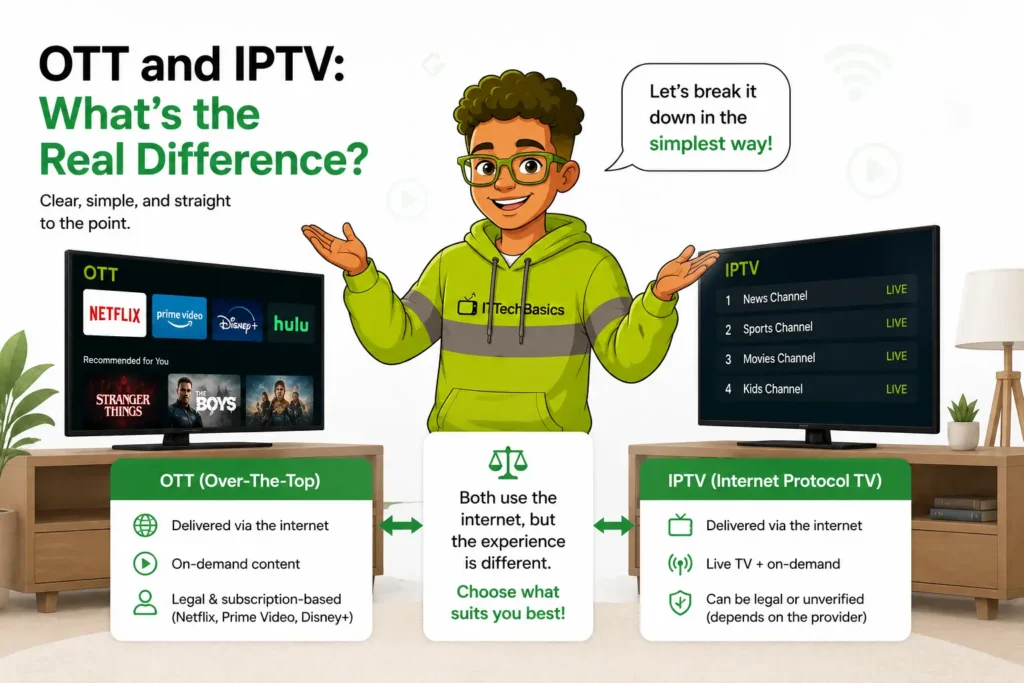
If you’ve spent any time shopping for a streaming service, you’ve probably seen OTT and IPTV used like they mean the same thing. They don’t. They’re built on different technology, they solve different problems, and they’re aimed at different kinds of viewing — one is about picking what to watch from a library, the other is about watching live TV the way you always have, just over the internet.
This guide breaks down exactly how OTT and IPTV work, where they overlap, where they don’t, what they cost, which devices support them, and how to figure out which one actually fits how you watch TV.
A Brief History of OTT and IPTV
IPTV isn’t new — telecom providers have offered managed IPTV services since the mid-2000s, delivering live channels over dedicated network infrastructure as a direct alternative to cable and satellite. OTT came slightly later as a consumer category, gaining real momentum once Netflix shifted from DVD rentals to streaming in the late 2000s, followed quickly by Hulu and a wave of competitors. For years, the two stayed in their own lanes — IPTV for live, managed TV delivery, OTT for on-demand libraries. That line has blurred over the past decade as both have expanded into each other’s territory: OTT platforms added live channels, and IPTV services added on-demand catalogs. Understanding the original distinction is still the fastest way to understand how each one behaves today.
What Is OTT?
OTT stands for Over-The-Top — the content is delivered “over the top” of your regular internet connection, with no dedicated infrastructure behind it. If you’ve used Netflix, Disney+, Hulu, Max, or YouTube, you’ve used OTT.
OTT services generally fall into three models:
- SVOD (Subscription Video on Demand) — pay a monthly fee for unlimited access to a library. Netflix, Disney+, Max.
- AVOD (Ad-Supported Video on Demand) — free or low-cost access, supported by ads. Tubi, Pluto TV, YouTube.
- TVOD (Transactional Video on Demand) — pay per title, rent or buy. Apple TV’s movie rentals, Amazon’s “buy or rent” catalog.
Key traits of OTT:
- Delivered over the open internet — any connection, any provider, anywhere
- App-based — you download an app and log in
- Mostly on-demand — you pick what to watch, when to watch it
- One app, one library — each service has its own separate catalog, which is why most households end up paying for several
OTT is built around convenience for on-demand viewing. It’s not really designed to replicate the “flip through channels” experience of live TV, even though most major OTT platforms have started bolting on some live channels in recent years.
What Is IPTV?
IPTV stands for Internet Protocol Television. It also delivers video over the internet, but the experience is built to feel like traditional television — live channels, a program guide, and real-time broadcast streams — rather than a library you browse.
There are two broad categories of IPTV worth knowing about:
- Managed/telecom IPTV — the kind offered by phone and internet providers. It runs over a dedicated, managed network with guaranteed bandwidth, separate from your regular internet traffic.
- Internet-based subscription IPTV — third-party services that deliver live channels and on-demand content over your existing internet connection, usually through an app or M3U playlist rather than a managed network.
Key traits of IPTV:
- Live, linear channels — organized like a TV channel lineup, often with an Electronic Program Guide (EPG) so you can see what’s on now and what’s coming up next
- Real-time streaming — you’re watching what’s airing right now, not picking from a shelf
- Often bundles VOD too — many IPTV services include on-demand libraries in addition to live channels
- One subscription, many channels — instead of one app per service, you typically get a large channel range (news, sports, entertainment, international content) in a single app or playlist
How OTT Works
OTT relies on standard internet infrastructure: content sits on servers (usually distributed across a Content Delivery Network, or CDN, to reduce lag), and when you hit play, your device requests that specific file and streams it directly to you — this is called unicast delivery, a one-to-one connection between the server and your device. Every viewer gets their own individual stream, which is why OTT scales so well for on-demand content but doesn’t inherently replicate “live broadcast” the way TV traditionally worked.
How IPTV Works
IPTV is closer to how traditional broadcast TV operates, just carried over IP networks instead of antennas, satellites, or cable lines. Managed telecom IPTV often uses multicast delivery — a single stream is sent out and multiple viewers tap into the same feed, similar to how cable systems distribute channels, which is part of why it can be more bandwidth-efficient and stable. Internet-based subscription IPTV services typically deliver the channel list through an M3U playlist (a file listing stream URLs) loaded into a player app, paired with an EPG for the program guide. This is also why IPTV apps feel more like flipping through cable channels than scrolling a streaming library.
OTT and IPTV: Side-by-Side Comparison
| OTT | IPTV | |
|---|---|---|
| Best for | On-demand movies/shows | Live TV, sports, news, channel surfing |
| Content structure | Library you browse | Channel guide, real-time |
| Delivery method | Unicast (one stream per viewer) | Often multicast (shared stream) |
| Number of services needed | One app per platform | Often one app/playlist for everything |
| Examples | Netflix, Disney+, Hulu | Telecom TV packages, IPTV subscription services |
| Viewing experience | Pick and play | Like flipping channels on cable |
| Typical setup | Download app, log in | Install app, load playlist/EPG |
Pros and Cons at a Glance
Neither OTT nor IPTV is universally “better” — each comes with real tradeoffs worth knowing before you commit.
Pros and Cons of OTT
Pros:
- Massive on-demand libraries, watch anytime
- No live-TV schedule to work around
- Easy to cancel and resubscribe as needed
- Strong content recommendation systems
Cons:
- Subscription costs add up fast across multiple platforms
- Content gets removed or moved between platforms without warning
- Live TV (news, sports) is still a secondary feature, not the core experience
- Password-sharing crackdowns have made multi-household use harder
Pros and Cons of IPTV
Pros:
- Large channel lineups in a single subscription
- Familiar, cable-like browsing experience
- Often significantly cheaper than stacking multiple OTT subscriptions or a traditional cable package
- Strong option for live sports, news, and international/niche channels
Cons:
- Quality depends heavily on your own internet connection (for internet-based IPTV)
- Service quality varies a lot between providers — this is the category where doing your homework matters most
- Less polished on-demand discovery compared to dedicated OTT apps
- Some “IPTV” services operate without proper content licensing, which is a real risk to be aware of (more on this below)
OTT and IPTV Cost Comparison
A single OTT subscription is usually inexpensive on its own, but most households don’t stop at one. Add up two or three streaming subscriptions plus a sports package, and the monthly total often creeps close to — or past — what traditional cable used to cost. IPTV, by contrast, typically bundles a large channel range into one monthly price, which is the main reason people switch: instead of five logins and five bills, it’s one subscription covering live TV, sports, and often VOD as well. When comparing the costs directly, the deciding factor usually isn’t the sticker price of either one — it’s how many separate OTT subscriptions you’d actually need to replicate what a single IPTV subscription already covers.
Streaming Quality and Reliability
For OTT, quality mostly comes down to your internet speed and the platform’s CDN performance — major platforms invest heavily in infrastructure, so buffering is relatively rare unless your own connection is the bottleneck.
For IPTV, quality depends on a few more variables: your internet speed and stability, whether you’re on Wi-Fi or Ethernet (wired is meaningfully more stable), and — critically — the quality of the provider’s own servers. A good IPTV provider with solid server infrastructure performs comparably to OTT. A bad one will buffer constantly regardless of how fast your home internet is, which is why provider quality matters so much in this category specifically.
Device Compatibility
Both OTT and IPTV run on most modern streaming hardware: Amazon Firestick, Android TV boxes, Smart TVs, phones, tablets, and computers. OTT apps are usually available directly in app stores (Netflix, Disney+, etc.). IPTV access typically works through dedicated player apps — TiviMate, IPTV Smarters, GSE Smart IPTV are common examples — where you load your subscription’s playlist and EPG once, and the app handles channel browsing from there. Some Smart TVs also support “Smart IPTV” apps natively, letting you skip a separate streaming box entirely.
Why IPTV Is Often the Easier Choice
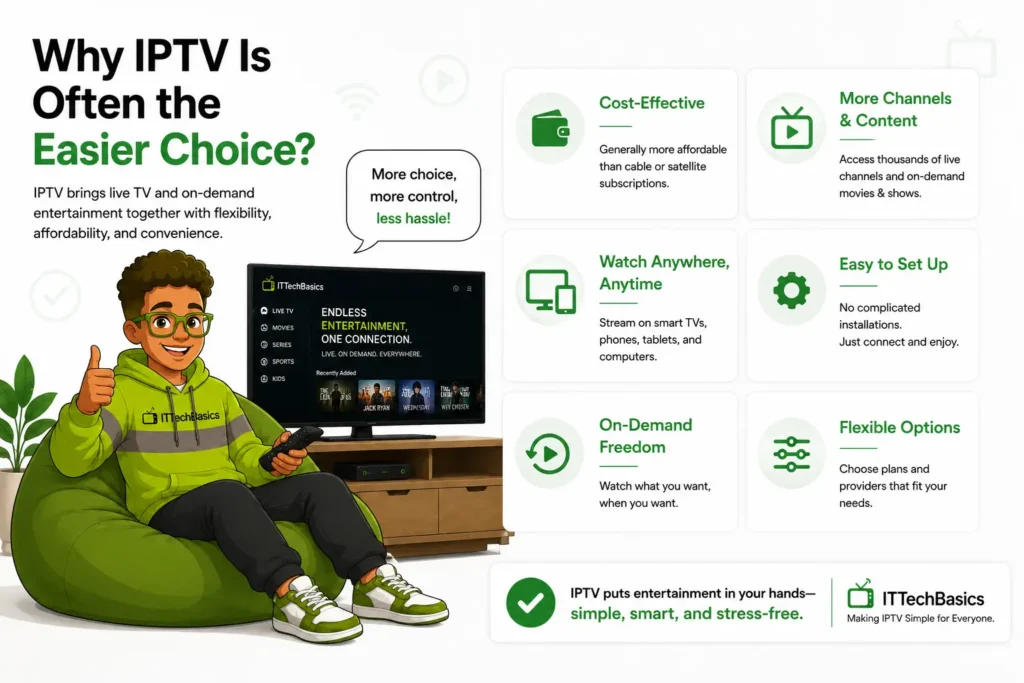
For people who actually want a TV-like experience — live sports, 24/7 news, a full channel lineup — IPTV usually wins on simplicity, and it’s not close.
You stop juggling apps. With OTT, watching everything you want often means subscribing to four or five different services, each with its own app, login, and bill. IPTV typically consolidates a huge channel range — including international and niche content that OTT platforms rarely carry — into one place.
It feels familiar. If you grew up with cable or satellite, an IPTV program guide is instantly intuitive. You’re not hunting through menus; you’re scrolling channels the way you always have.
Live content is the point, not an afterthought. OTT platforms have added some live channels in recent years, but live TV is still secondary to their core on-demand catalog. IPTV is built around live viewing from the ground up.
Setup is more approachable than people expect. A common misconception is that IPTV requires technical know-how — special boxes, complicated configuration, command-line setups. In reality, most modern IPTV apps install and run just like any other streaming app, on devices you probably already own (Firestick, Android TV, Smart TV, even a phone). ITTechBasics IPTV is built to make that setup simple, with 30,000+ live channels spanning entertainment, movies, and sports. (NHL, UFC and World Cup Matches..) in HD, and ITTechBasics Guide walks through it step by step — covering setup, device compatibility, and the handful of beginner mistakes that cause most early issues.
Common Myths About OTT and IPTV
“You need to be technical to set up IPTV.” Not anymore. Modern IPTV apps are install-and-go, the same as any streaming app.
“All IPTV is illegal.” Not true — legality depends entirely on whether the provider has proper rights to the content it’s distributing. Managed telecom IPTV is fully legal by definition. Third-party subscription IPTV varies, which is exactly why provider research matters (see below).
“IPTV picture quality is automatically worse than cable.” Quality is a function of your internet connection and the provider’s servers, not the IPTV format itself. A strong connection and a reliable provider can match or exceed traditional cable quality.
“You need a special box for IPTV.” Most IPTV today runs through apps on hardware you likely already own — no proprietary box required.
“OTT and IPTV are basically the same thing.” This is the most common mix-up, and hopefully this guide has made the distinction clear: OTT is on-demand, app-based, and unicast. IPTV is live-channel-based, guide-driven, and often multicast.
Who Actually Uses Each One?
The split usually comes down to viewing habits more than demographics:
- Cord-cutters who want to drop cable but still want a full live channel lineup tend to land on IPTV.
- Sports fans lean heavily toward IPTV for the breadth of live channels, since most OTT platforms only carry a fraction of available sports content.
- International and expat households often choose IPTV specifically for access to a wide range of regional and native-language channels that simply aren’t available on mainstream OTT platforms.
- Casual viewers who mostly want to binge a handful of shows on their own schedule are usually well served by one or two OTT subscriptions and don’t need IPTV at all.
- Most households, realistically, end up with a mix of both — IPTV for live TV, one or two OTT apps for on-demand favorites.
How to Choose Between OTT and IPTV
A simple way to think about it:
- Mostly watch shows and movies on your own schedule? OTT is built for that.
- Want live sports, news, and a big channel lineup without five different subscriptions? IPTV is the more natural fit.
- Want both? Most households end up using one IPTV service for live TV plus one or two OTT apps for on-demand favorites — they’re complementary, not really competitors.
How to Spot a Legitimate, Reliable IPTV Provider
This is the part that actually matters most when picking an IPTV service, since quality and legitimacy vary widely between providers:
- Transparent licensing — a reputable provider is upfront about what it offers and doesn’t dodge questions about content sourcing
- Free trial or money-back guarantee — legitimate services are confident enough to let you test stream quality before committing
- Responsive customer support — live chat or support tickets that actually get answered is a strong signal of a real operation
- Realistic pricing — if a deal looks dramatically cheaper than every competitor for the same content, that’s worth questioning
- Clear setup documentation — established providers publish real guides instead of leaving you to figure it out alone
Glossary: Key Terms to Know
- EPG (Electronic Program Guide): the on-screen channel/schedule grid used in IPTV apps
- M3U Playlist: a file listing stream URLs that IPTV apps use to load a channel lineup
- CDN (Content Delivery Network): a distributed server network OTT platforms use to deliver content quickly with less buffering
- Unicast: a one-to-one stream between server and viewer (how most OTT delivery works)
- Multicast: a single stream shared across multiple viewers at once (common in managed IPTV)
- Set-top box: a dedicated device used to receive and decode TV signals — optional for most modern IPTV setups
- FAST channels: Free Ad-Supported Streaming TV channels, an increasingly common hybrid between OTT and traditional linear TV
Getting Started with IPTV
If you’ve decided IPTV fits how you watch TV, the process is usually: pick a provider, subscribe, download a player app (like TiviMate or IPTV Smarters), load your playlist and EPG, and you’re watching within minutes. ITTechBasics’ complete guide covers this process device by device, so you’re not guessing which app or settings work best for your specific setup.
The Future of Streaming
The line between OTT and IPTV will likely keep blurring rather than separating further. Expect to see more AI-driven content recommendations on both sides, continued growth of FAST channels (free, ad-supported live channels inside OTT apps), and IPTV providers investing more in polished on-demand libraries to compete with traditional streaming platforms. For viewers, that mostly means more choice and more overlap — which makes understanding the underlying difference even more useful when deciding what you’re actually paying for.
OTT and IPTV FAQ
Is IPTV legal? Managed telecom IPTV is fully legal. Third-party subscription IPTV legality depends on whether the provider has proper rights to the content — stick with transparent, reputable providers.
Do I need a VPN for IPTV? Not strictly required, but some users use one for privacy or to reduce ISP throttling on streaming traffic.
What is an M3U playlist? A file containing the list of stream URLs for your channels — it’s what IPTV player apps use to load your subscription’s channel lineup.
Can I use IPTV without a set-top box? Yes. Most IPTV today runs through apps on Firesticks, Android TV, Smart TVs, phones, and computers — no dedicated box needed.
What’s the difference between IPTV and “Smart IPTV”? IPTV is the general technology category. “Smart IPTV” specifically refers to an app available natively on many Smart TVs that lets you load an IPTV playlist directly on the TV, without a separate streaming box.
Can I record live TV with IPTV, like a DVR? Some IPTV apps and providers offer cloud DVR or local recording features, but it’s not universal — check whether your specific app and provider support it before assuming.
What internet speed do I need for IPTV? At minimum, around 10 Mbps for HD streaming and 25 Mbps or more for 4K, with a stable, low-latency connection mattering as much as raw speed. Wired Ethernet is more reliable than Wi-Fi.
Is IPTV better than cable TV? For most people, yes on price and flexibility — similar channel access, typically lower monthly cost, and no equipment rental fees, as long as you’ve chosen a reliable provider.